reading-notes
Reading
Chapter 3: “Lists” (pp.62-73)
HTML provides us with three different types:
-
Ordered lists
<ol> -
Unordered lists
<ul> -
Definition lists
Ordered lists
created with
the <ol> element.
Ordered lists use numbers.
<ol>
<li>Chop potatoes into quarters</li>
<li>Simmer in salted water for 15-20
minutes until tender</li>
<li>Heat milk, butter and nutmeg</li>
<li>Drain potatoes and mash</li>
<li>Mix in the milk mixture</li>
</ol>
Unordered lists
is created
with the <ul> element.
Unordered lists use bullets.
<ul>
<li>1kg King Edward potatoes</li>
<li>100ml milk</li>
<li>50g salted butter</li>
<li>Freshly grated nutmeg</li>
<li>Salt and pepper to taste</li>
</ul>
Definition Lists
is created with
the <dl> element.
Definition lists are used to define terminology.
<dl>
<dt>Sashimi</dt>
<dd>Sliced raw fish that is served with
condiments such as shredded daikon radish or
ginger root, wasabi and soy sauce</dd>
<dt>Scale</dt>
<dd>A device used to accurately measure the
weight of ingredients</dd>
<dd>A technique by which the scales are removed
from the skin of a fish</dd>
<dt>Scamorze</dt>
<dt>Scamorzo</dt>
<dd>An Italian cheese usually made from whole
cow's milk (although it was traditionally made
from buffalo milk)</dd>
</dl>
Chapter 13: “Boxes” (pp.300-329)
CSS treats each HTML element as if it lives in its own box.
Box Dimensions
To set your own dimensions for a box you can use the height and width properties.
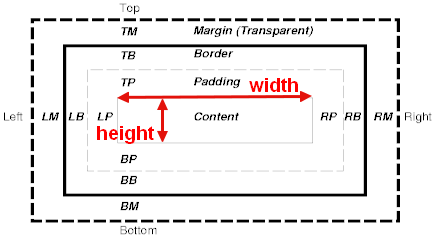
Control the shape of the elements when the screen is reduced and enlarged, we use:
-
Limiting Width
-
Limiting Height
Border, Margin & Padding
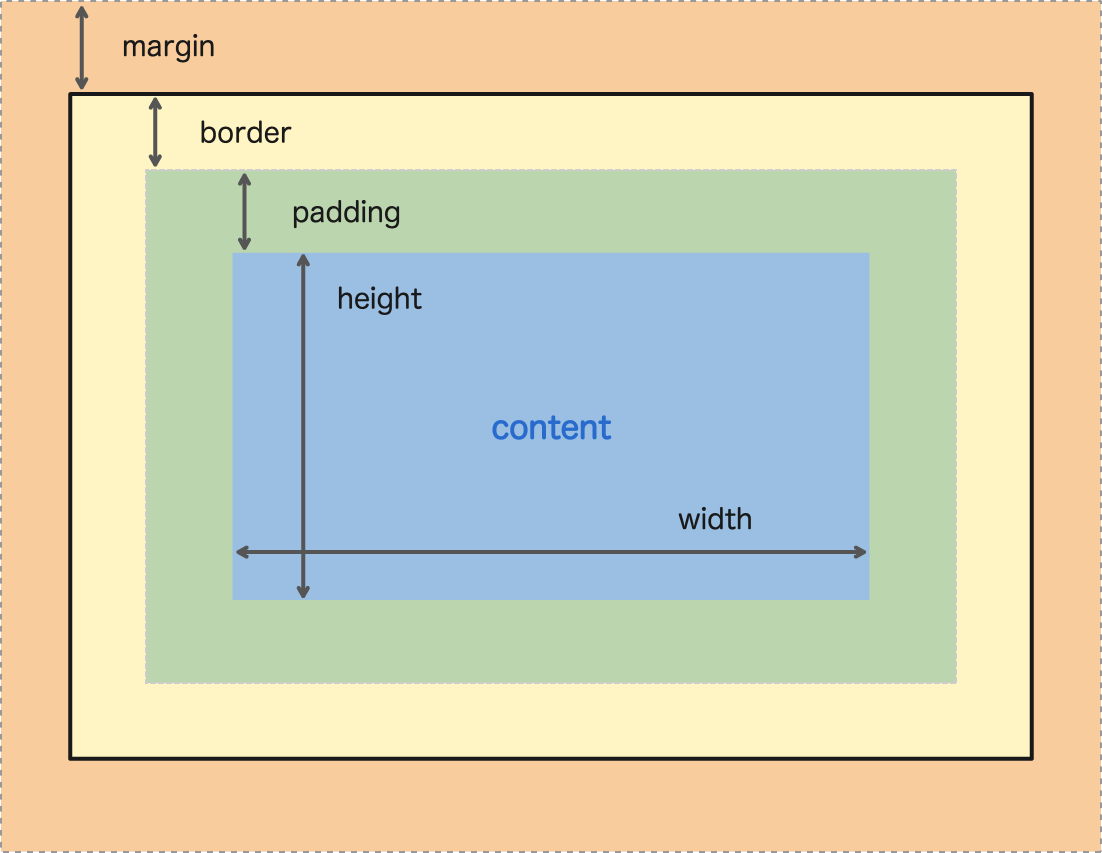
Review from Reading 02 - Chapter 2: “Basic JavaScript Instructions” (pp.70-73)
ARRAYS
An array is a special type of variable.
You create an array and give it a name just like you would any other variable.
var colors;
colors ['white', 'black', ' custom '];
var el = document.getElementByld('col ors');
el . textContent = col ors[O];
note: we prefer use let & const
Chapter 4: “Decisions and Loops” from switch statements on (pp.162-182)
SWITCH STATEMENTS
A switch statement starts with a variable called the switch value.
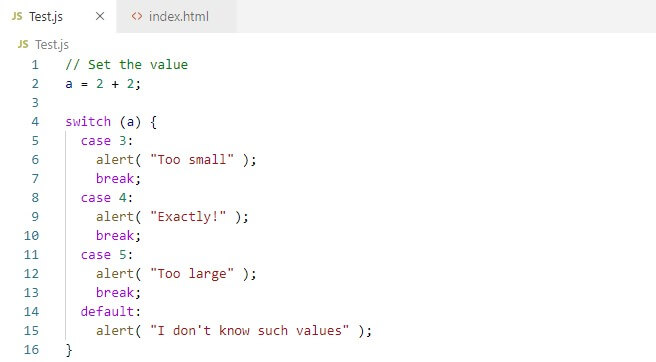
code that should run if the variable matches that value.
You have a default option that is run if none of the cases match.
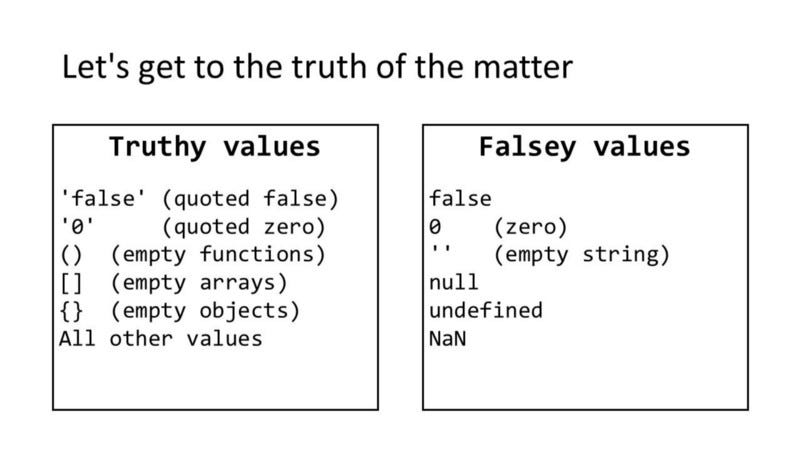
TRUTHY & FALSY VALUES