reading-notes
Chapter 3: “Object Literals” (pp.100-105)
Objects group together a set of variables and functions to create a model of a something you would recognize from the real world.
IN AN OBJECT: VARIABLES BECOME KNOWN AS PROPERTIES.
IN AN OBJECT: FUNCTIONS BECOME KNOWN AS METHODS.
// four variables are created and assigned in a single go,
// separated by commas
var myObj = new Object(),
    str = 'myString',
    rand = Math.random(),
    obj = new Object();

myObj.type              = 'Dot syntax';
myObj['date created']   = 'String with space';
myObj[str]              = 'String value';
myObj[rand]             = 'Random Number';
myObj[obj]              = 'Object';
myObj['']               = 'Even an empty string';

console.log(myObj);
Object literal notation
is a comma-separated list of name-value pairs wrapped in curly braces.
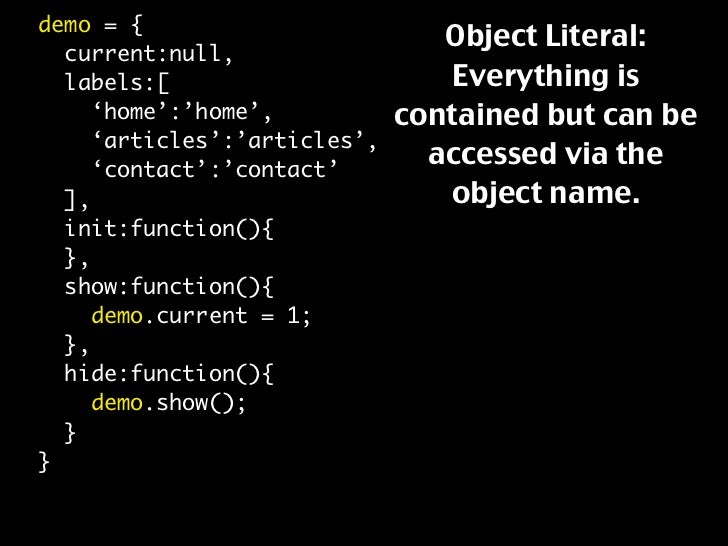
 var hotel = {
name: 'Quay',
rooms : 40,
booked: 25,
checkAvailability: function() {
return this.rooms - this.booked;
}
} ;
JAVASCRIPT
var elName = document .getElementByld('hotelName');
elName.textContent =hotel .name;
var elRooms = document.getElementByid{'rooms');
elRooms .textContent = hotel .checkAvailability();
Chapter 5: “Document Object Model” (pp.183-242)
it how browsers should create a model of an HTML page and how JavaScript can access and update the contents of a web page while it is in the browser window.
THE DOM TREE IS A MODEL OF A WEB PAGE
As a browser loads a web page, it creates a model of that page. The model is called a DOM tree.
<html>
<body>
<di v id="page">
<hl id="header">List</hl>
<h2>Buy groceries</h2>
<ul>
<li id="one" class="hot"><em>fresh</em> figs</li>
<li id="two" class="hot">pine nuts</l i>
<l i id="three" class="hot">honey</l i>
<l i id="four">balsamic vinegar</l i>
</ ul>
<script src="js/l i st. js "></scri pt>
</ div>
</ body>
</ html>
DOM TREE
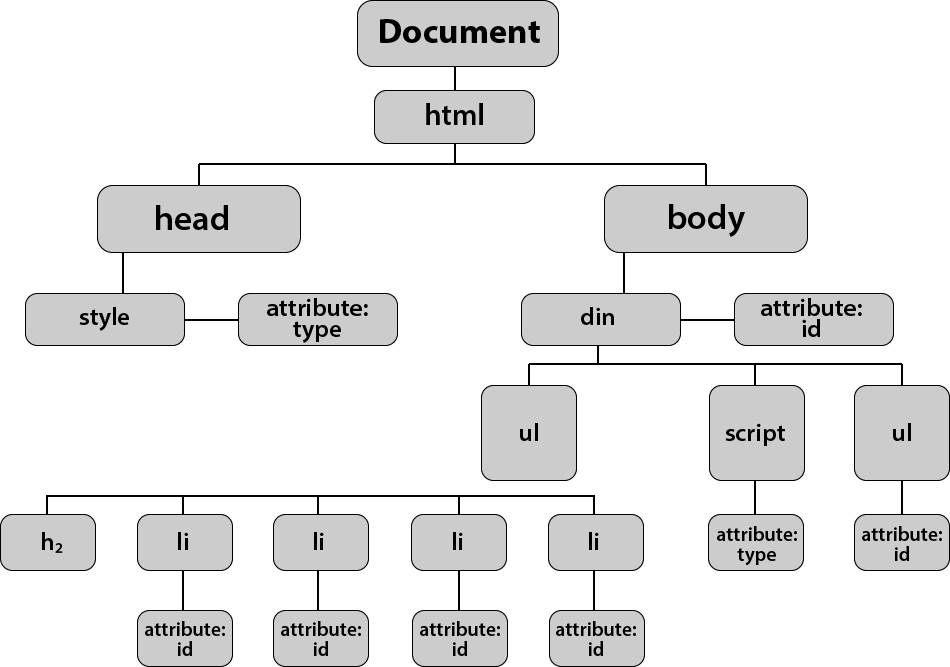
The browser represents the page using a DOM tree.
DOM trees have four types of nodes:
-
document nodes
-
element nodes
-
attribute nodes
-
text nodes
You can select element nodes by their id or cl ass attributes, by tag name, or using CSS selector syntax.
Understanding The Problem Domain
some of hardest thing about writing code:
-
Learning a new technology
-
Fixing bugs
-
Making software maintainable
Programming is easy if you understand the problem domain
The more and more I write code, the more I learn that understanding the problem is the most critical piece to the equation.